UX Design, Research, Validation, Prototyping
Copilot report customization
Integrated customizable Power BI reporting into Viva Insights, driving higher analyst retention and smoother insight delivery to leadership.
Timeline
Mar 2025 - Nov 2025
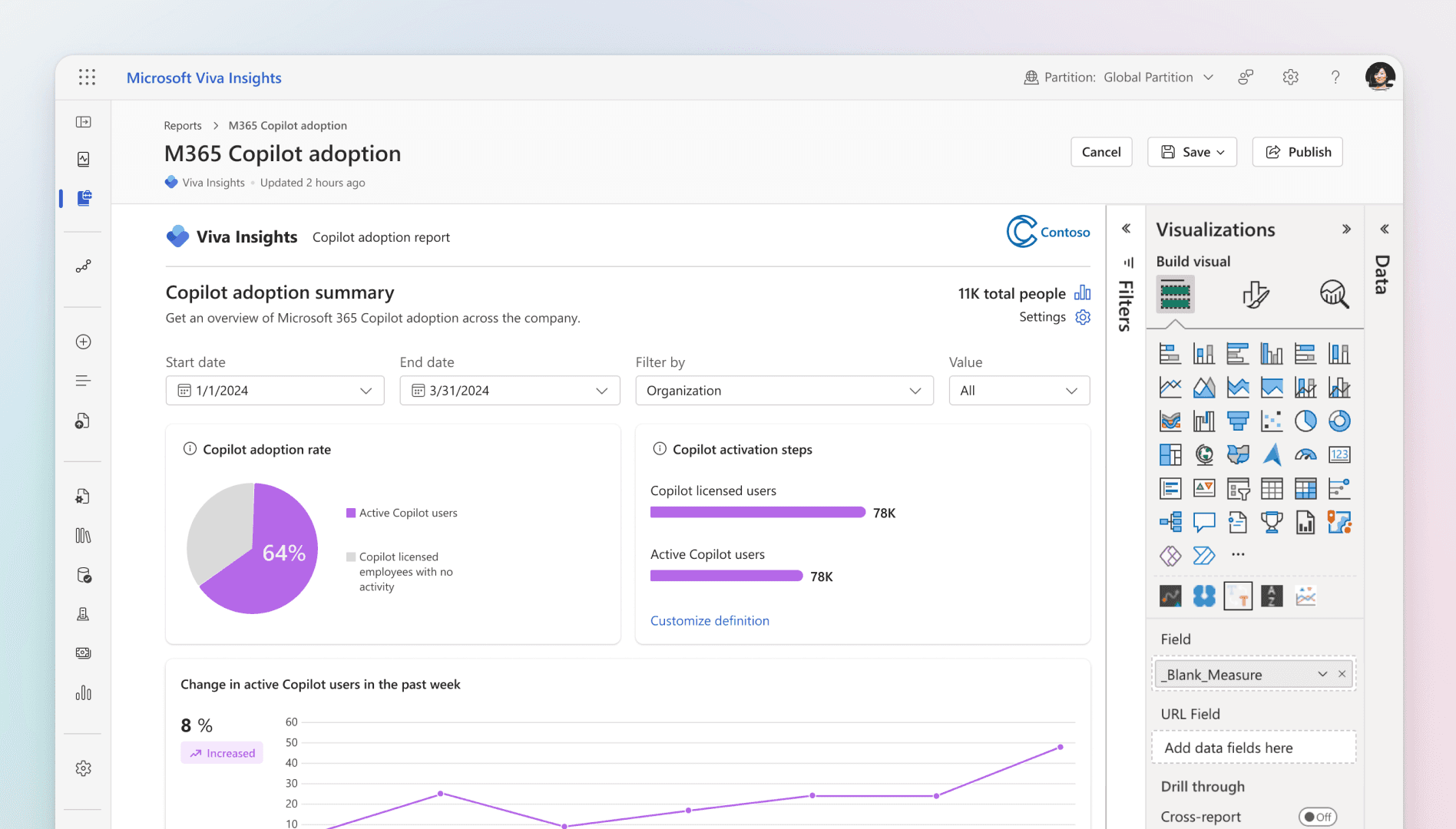
Problem
Out‑of‑the‑box Copilot reports are useful starting points, but organizations often need tailored views different visuals, filters, or layouts to answer specific business questions.
Without in‑product customization, analysts risk spending extra effort recreating or exporting reports, slowing insight sharing and reducing adoption.
Solution
Report customization in Viva Insights allows analysts to:
Customize any PowerBI reports in Viva Insights like Copilot adoption, Copilot business impact, Copilot Studio agents report and many more
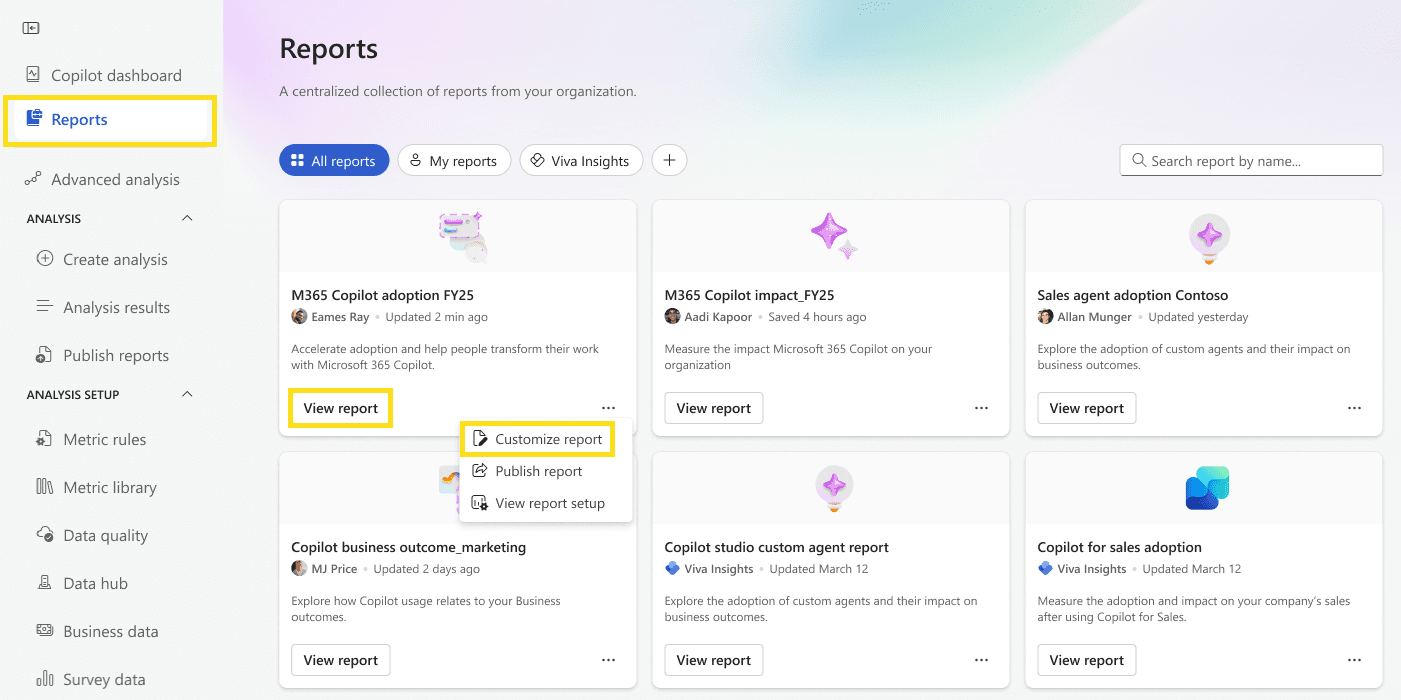
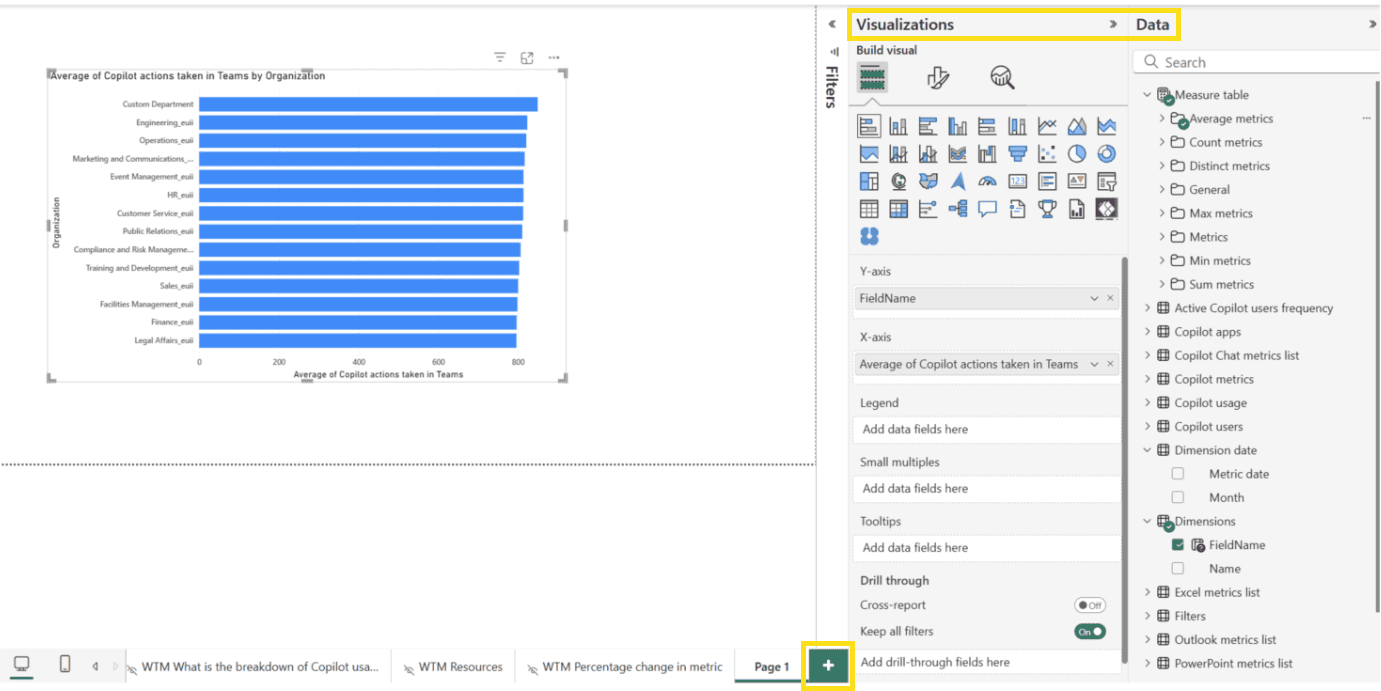
Add or modify visualizations, text, pages, and graphics
Save customized versions or delete them when no longer needed
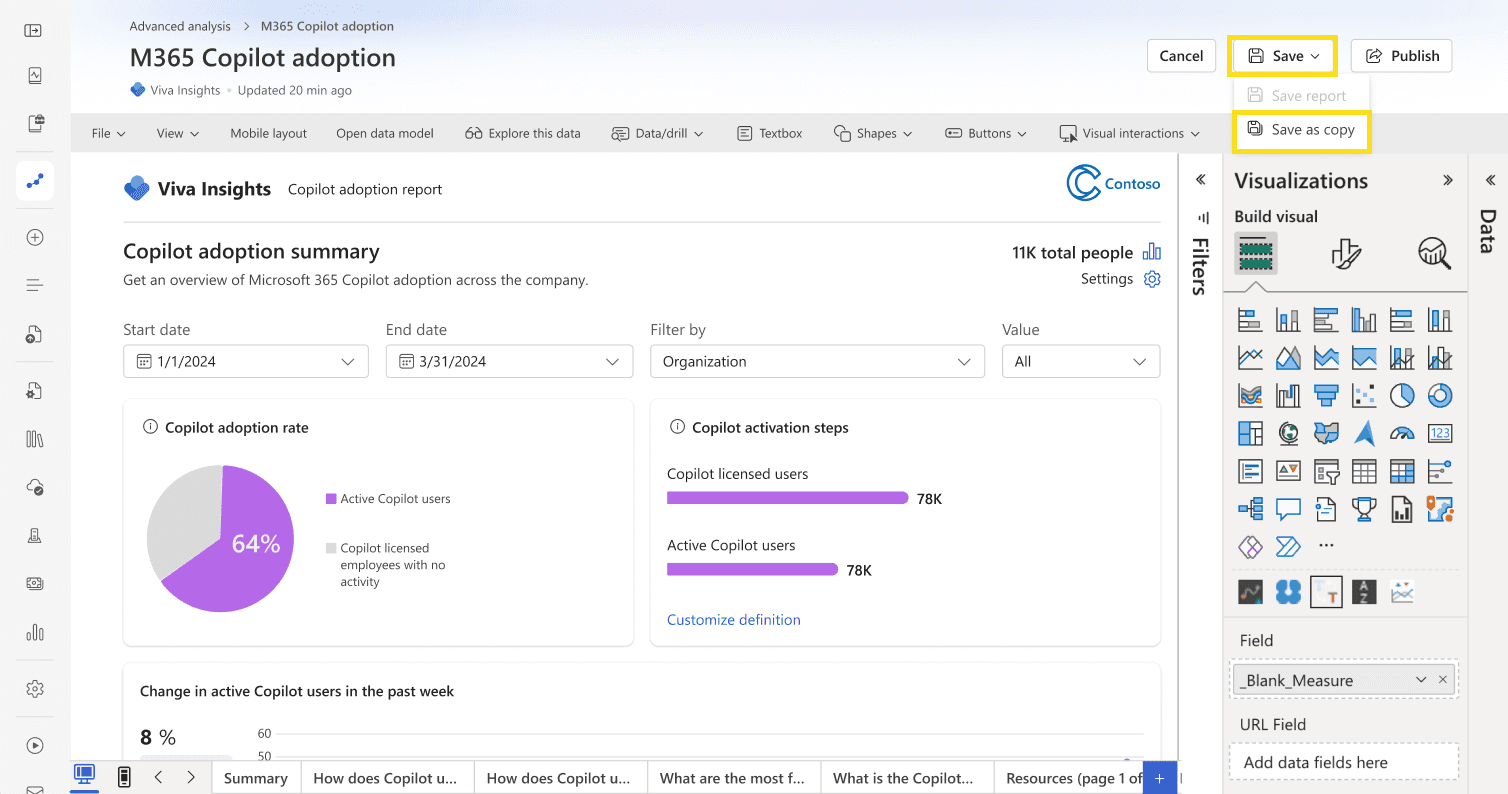
Share customized Power BI reports with others in Viva Insights
This keeps the full analytics workflow inside Viva Insights, supporting faster insight iteration and sharing.
Impact
Increase in report page MAU after release.
Reduced analyst drop‑off during report customization workflows.
Enabled faster customization and sharing of Copilot Analytics reports within Viva Insights
Contributed to broader growth in Copilot MAU.
Why This Matters
Report customization is a key capability for analysts using Viva Insights, enabling organizations to adapt insights to their context while maintaining privacy and consistency. Designing this experience required balancing Power BI flexibility with clear, approachable UX for enterprise analytics users.
NDA & Sharing Note
This case study is intentionally high‑level and based on public Microsoft Learn documentation.
Detailed flows, visuals, and implementation specifics are not shared publicly and can be discussed 1:1 where appropriate.
UX Design, Research, Validation, Prototyping
Copilot report customization
Integrated customizable Power BI reporting into Viva Insights, driving higher analyst retention and smoother insight delivery to leadership.
Timeline
Mar 2025 - Nov 2025
Problem
Out‑of‑the‑box Copilot reports are useful starting points, but organizations often need tailored views different visuals, filters, or layouts to answer specific business questions.
Without in‑product customization, analysts risk spending extra effort recreating or exporting reports, slowing insight sharing and reducing adoption.
Solution
Report customization in Viva Insights allows analysts to:
Customize any PowerBI reports in Viva Insights like Copilot adoption, Copilot business impact, Copilot Studio agents report and many more
Add or modify visualizations, text, pages, and graphics
Save customized versions or delete them when no longer needed
Share customized Power BI reports with others in Viva Insights
This keeps the full analytics workflow inside Viva Insights, supporting faster insight iteration and sharing.
Impact
Increase in report page MAU after release.
Reduced analyst drop‑off during report customization workflows.
Enabled faster customization and sharing of Copilot Analytics reports within Viva Insights
Contributed to broader growth in Copilot MAU.
Why This Matters
Report customization is a key capability for analysts using Viva Insights, enabling organizations to adapt insights to their context while maintaining privacy and consistency. Designing this experience required balancing Power BI flexibility with clear, approachable UX for enterprise analytics users.
NDA & Sharing Note
This case study is intentionally high‑level and based on public Microsoft Learn documentation.
Detailed flows, visuals, and implementation specifics are not shared publicly and can be discussed 1:1 where appropriate.